Every Way to Stream PBS Shows

Since Netflix launched the streaming era in 2013, the main focus of most media coverage has been on how the largest entertainment corporations would respond. Gallons of ink have been spilled over "Disney+" vs "HBO Max" naming conventions, the collapse of Paramount, and now Warner Bros. Media. But there's one major service that hasn't gotten much attention: PBS.
There are many reasons for that, from the Public Broadcasting Service's labyrinthine method of governance to the sheer number of ways to access its programming. PBS isn't like other networks, which are centralized companies that dictate a schedule from on high for broadcast networks to follow. It is a rarity in the American landscape: a decentralized corporation. I tend to think of it like the Federalist system we learned about in school: a central mothership that's more of a referee, with strong nation-states competing to supply programming.
Until the 2010s, PBS itself never made or acquired programming – everything that aired on what is referred to as the "National Schedule" was either created or supplied by member stations. However, the streaming revolution made this a disadvantage, as it required the PBS mothership to pursue national streaming rights for shows it had no involvement in.
Understanding that PBS is not a single entity but a confederation of stations across the country, plus a main hub in D.C., is key to explaining why there are so many options for streaming PBS and why the same programs aren't available across all options.
Streaming PBS Channels for Free
They say the best things in life are free, and that will remain true for PBS for as long as it continues to exist. All local PBS stations remain free over the air via digital antenna for your TV. However, in that last year, that same spirit of free programming for all has finally figured out how to be on your laptops, tablets, and smartphones.
Among its wealth of acquisitions over the last decade, Amazon Studios found itself with an entire extra FAST catalog of channels from its takeover of IMDb, which it had been trying to bill as "FreeVee." When Amazon finally shuttered the division, rather than dismantle the digital structure, it went to PBS, offering it up as a free home for every station in the country to livestream local programming.
Sure, it's charity washing, and we're not about to forgive anyone for the state of the Washington Post or anything. Moreover, it's not like anyone at Amazon has bothered to advertise this much or make these free channels easy for people to find without specifically searching for them. In truth, most of them are there for local stations to mirror in their own versions of the PBS app, rather than for people to watch via the Amazon website. But in case you ever need it, it's right here, for free.
Amazon is not the only one with PBS FAST channels, either. Roku has several as well for those who prefer it over a Fire TV Stick. Roku also happens to have my favorite PBS FAST Channel of all: The PBS Retro Channel.
The PBS Kids App & PBS Digital Studios
There are two other completely free ways to access PBS programming; however, both are geared toward younger audiences and lack access to more adult fare: PBS Kids and PBS Digital Studios.
The PBS Kids app is exactly what it says on the tin. It's a PBS app where kids can roam free without parents worrying about them accidentally watching a gory mystery or an age-inappropriate movie. Naturally, because it's geared towards kids, everything in it is free to watch, from Daniel Tiger to Sesame Street, and all the more modern shows in between. You can download the app here.
PBS Digital Studios is also geared towards families, and, like many of the titles on PBS Kids, everything it produces is available in your local PBS app. However, it comes with a bonus feature: you don't need to download anything; PBS Digital Studios is a YouTube-based platform, which means all you need to do is like and subscribe. There are about two dozen shows currently streaming on the PBS Digital Studios YouTube channel, including educational series on history, agriculture, nature, science, and art. The Digital Studios YouTube Channel is here.
The PBS Amazon Subscription Channels
Then there are the paid PBS options, and, like the free ones, this list again begins with Amazon Studios. For those who subscribe to Prime Video and use it as the master control for all streaming services, the easiest option is to purchase "PBS add-on channels." There are four altogether, including a paid version of PBS Kids. There's also the PBS Living channel (Monty Don, Mary Berry, and the like), PBS Documentaries (Lucy Worsley, Ken Burns, etc.), and PBS Masterpiece, which includes all the drama series that air on your local stations.
The PBS Prime Video Channels aren't a bad deal; it's an extra $2.99-6.99 on top of your Prime subscription, or ~$20 for all four. However, these four add-on channels are more like the "PBS's Greatest Hits (that it still has the rights to)" than the experience of one's local PBS station. That's because these four channels are programmed and run by the PBS Mothership, and all proceeds go directly to the main headquarters. These subscription services (and they are subscription services, which means you have to call and cancel when you're done) are basically a way to make up for the revenue the mothership used to get from selling VHS and DVD copies of PBS programs to libraries and schools, and I find that a useful rubric for explaining them to people. The PBS Prime Video Channels are geared more for structured environments than home use.
The PBS App & PBS Passport Tier
All those methods for streaming PBS are well and good, but in my opinion, there's nothing, and I mean nothing, that beats the PBS app with the PBS Passport tier. I've had so many people ask what the difference is between the free PBS app and PBS Passport, partly because local stations tend to treat them as separate entities. They are not.
The PBS app is the thing you download onto your smart TV, tablet, phone, etc. PBS Passport is the paid tier that gives you access to your local station's archives and early releases of hit shows.
However, PBS Passport is more than just a paid tier; it's a membership benefit. You don't subscribe to PBS Passport; your local station grants you access as a thank-you for your support. This also means your membership extends to the local variations of the PBS app (in DC, there's WETA+, for example). So not only are you paying for a treasure trove of PBS archives and getting to watch your favorite shows before everyone else, but you also can feel good about supporting local media directly. Moreover, because you are subscribing to your local PBS station, you get access to your station's locally focused programming that isn't available on other stations. Think of it as the 21st-century addition to the mug-and-tote bag stations used to send to your home when you contributed $25 during a pledge drive. (You do give to PBS, don't you? Don't disappoint Betty White.)
While this "membership" vs "subscription" business may sound like hair-splitting, it's not. I know the price of many local PBS Passports went up this year due to the collapse of the Corporation for Public Broadcasting, jumping from $5.99/$6.99 to as high as $9.99/month in some cities. The thing is, if all you give is $9.99, that's it. You get the service for a month, and then it cycles you out. It's the benefit of autochurn, a form of respecting your pocketbook by not automatically assuming paying once means paying always. For the wealth of programming on offer, it's totally worth it.

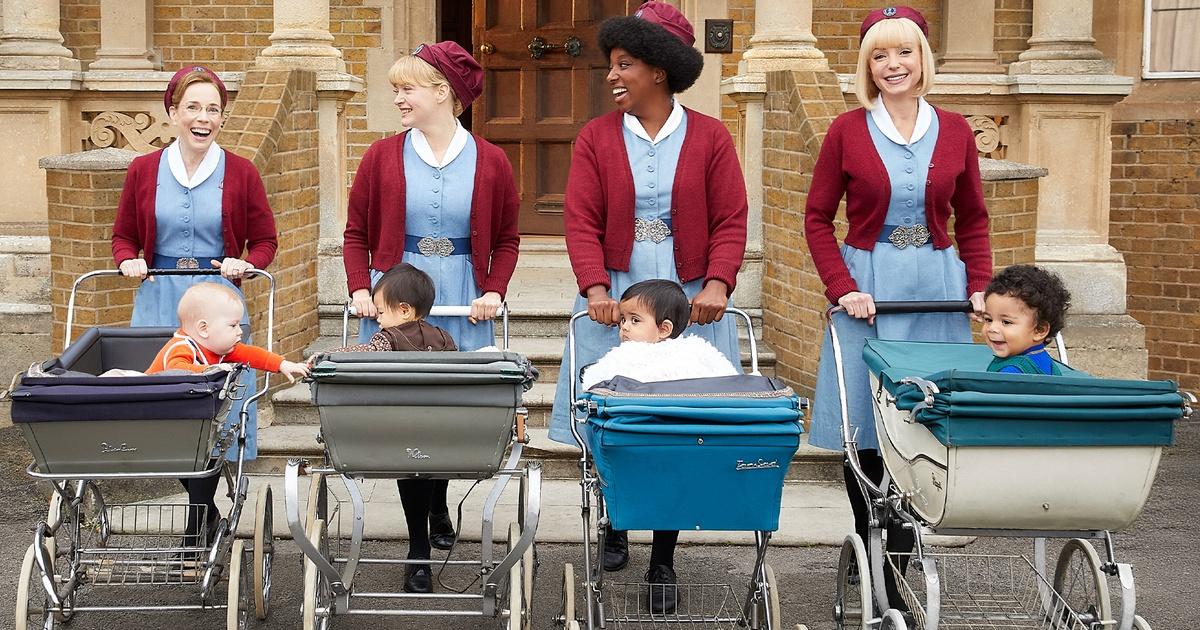
Join today for early access to Call the Midwife Season 15 and more.